Overview
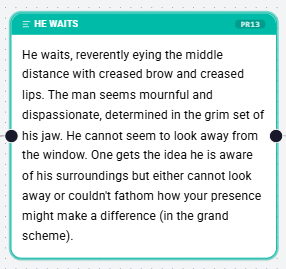
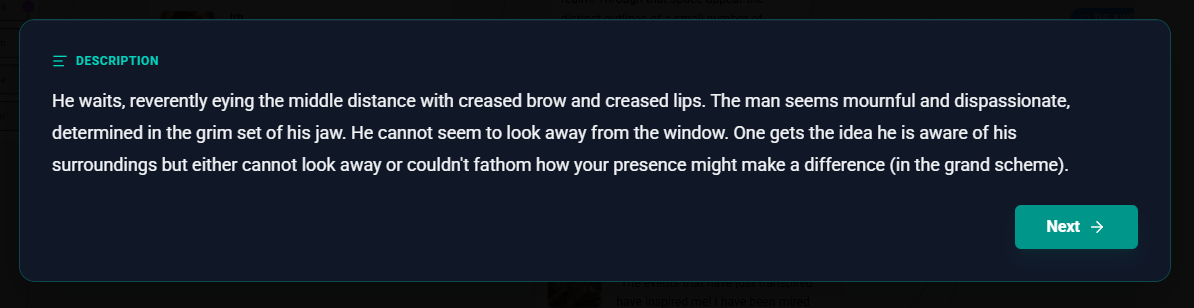
Description Nodes are the storytellers of your Flow. They are used to present narrative text, set the scene, or provide information to the player that doesn't come from a specific character's dialogue. Unlike Dialogue Nodes, which represent spoken word, Description Nodes represent the "voice of the narrator" or the internal thoughts of the player.
Configuration Steps
1. Narrative Content
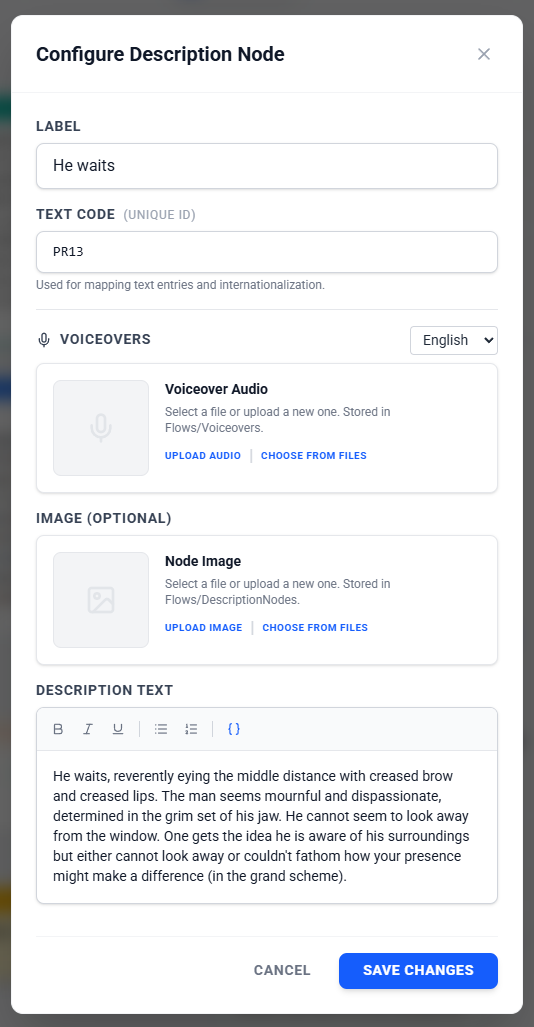
The core of a Description Node is the text. You can use the Rich Text Editor to:
- Write scene descriptions (e.g., "The old door creaks open...").
- Format text with bold, italics, lists, and more.
- Insert variable values dynamically to make the text responsive to the game state.
2. Visuals (Optional)
You can enhance your description by adding an image.
- Upload Image: Upload a new file directly to the node.
- Choose from Files: Select an existing image from your project's file storage.
- Tip: Adding an image makes the node easier to identify at a glance in the Flow Editor.
3. Text Codes (Advanced)
For projects that require localization or external text management, you can assign a Text Code to the node. This unique identifier allows you to map the text content to external files or translation systems, enabling multi-language support without changing the flow logic. This is automatically generated based on the node ID and can be changed if needed.
4. Voiceovers (Optional)
You can attach audio files to the node to be played when the description is displayed.
- Language Support: If your project supports multiple languages, you can upload separate audio files for each language.
- Upload/Select: Like images, you can upload new audio files or select existing ones from your project.
Common Use Cases
Setting the Scene
- Location Intro: "You arrive at the castle gates. The guards look restless."
- Time Passing: "Three days later..."
Examining Values & State
- Status Update: "Your health is low. You feel dizzy."
- Currency Check: "You check your purse. You currently have [GoldCount] gold pieces."
Narrator Commentary
- Tutorials: Providing meta-game instructions to the player.
- Internal Monologue: Revealing the protagonist's thoughts.
Was this article helpful?
That’s Great!
Thank you for your feedback
Sorry! We couldn't be helpful
Thank you for your feedback
Feedback sent
We appreciate your effort and will try to fix the article